Last updated: October 2026 · Written by the VizWriting IPTV team · the technical side of IPTV, without the jargon.
The short answer
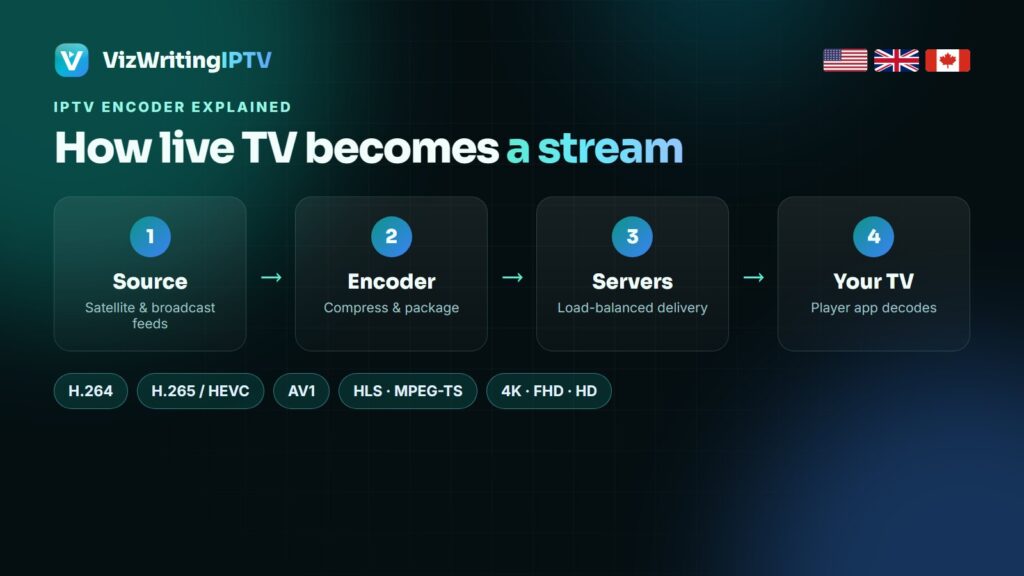
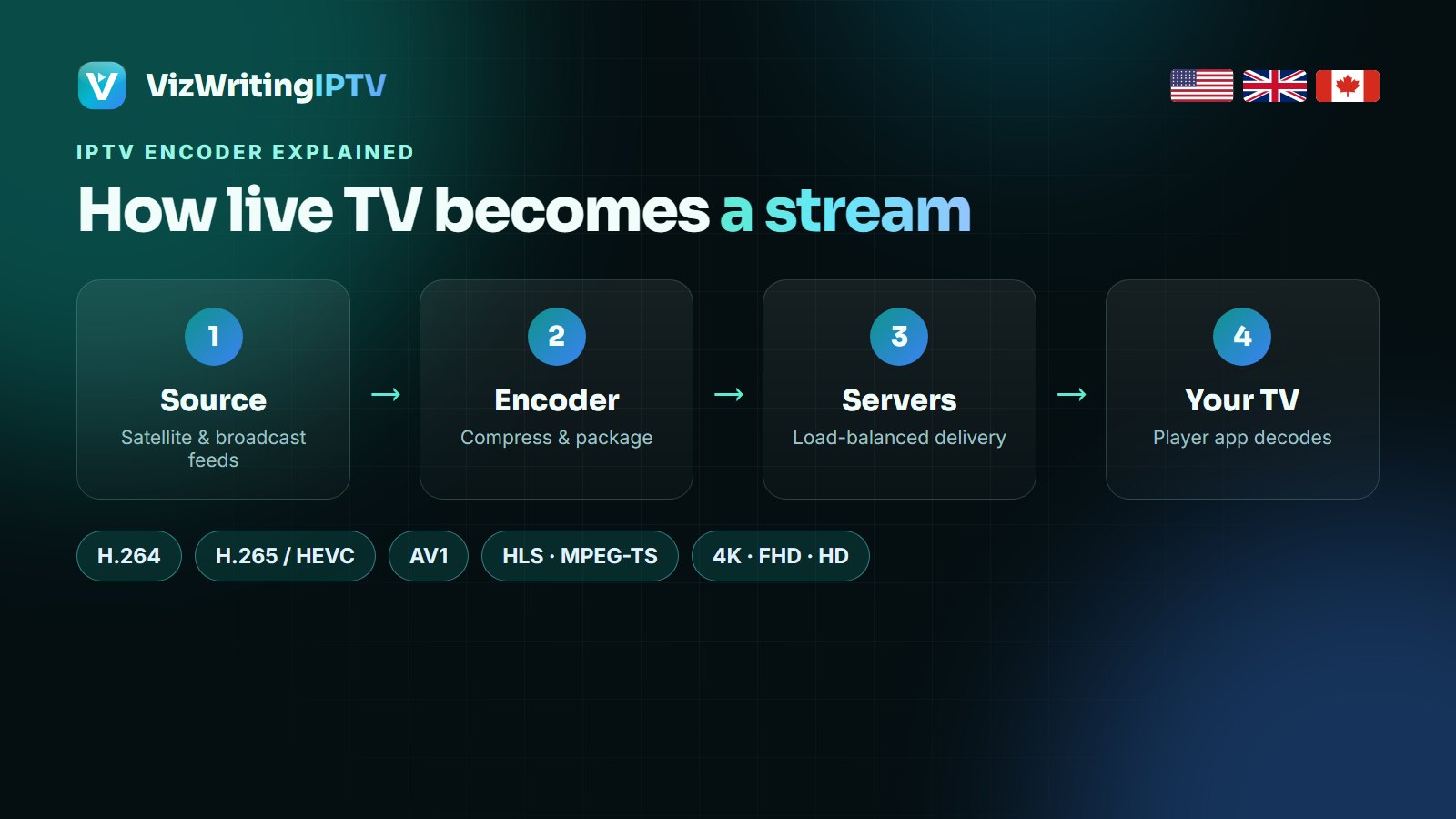
An IPTV encoder turns a raw video signal into a compressed digital stream that can travel over the internet. It captures the picture, squeezes it with a codec such as H.264 or H.265 (HEVC), and packages it for delivery in formats like HLS or MPEG-TS. The encoder’s settings — codec, bitrate, resolution — decide how sharp a channel looks and how much internet speed you need to watch it without buffering.
What an IPTV encoder does
A single uncompressed Full HD channel is around 1.5 gigabits per second — far too much for any home connection. The encoder solves that in three jobs:
- Capture — it takes in the signal from SDI, HDMI, a satellite receiver or an existing IP feed.
- Compress — a codec throws away the detail your eye will not miss and describes motion between frames instead of re-sending every frame. That cuts the channel down to a few megabits per second.
- Package — the compressed video and audio are wrapped in a streaming format and handed to the servers that deliver them to viewers.
Codecs: H.264, H.265 (HEVC) and AV1
| Codec | Typical Full HD bitrate | Typical 4K bitrate | Where it plays |
|---|---|---|---|
| H.264 / AVC | 5–8 Mbps | 30–40 Mbps | Every device made in the last 15 years |
| H.265 / HEVC | 3–5 Mbps | 15–25 Mbps | Most 4K TVs, Fire TV Stick 4K, Shield, recent phones |
| AV1 | 2–4 Mbps | 10–18 Mbps | Newer TVs and sticks with AV1 hardware decoding |
HEVC needs roughly half the bitrate of H.264 for the same picture, which is why almost all 4K IPTV channels use it. The catch is that your device must decode HEVC in hardware; older sticks and TVs may stutter on 4K HEVC even with a fast connection.
Hardware vs software encoders
- Hardware encoders are dedicated boxes or chips. They run 24/7 with low delay and predictable quality — the usual choice for live channels.
- Software encoders (FFmpeg-based tools, OBS, cloud transcoders) run on ordinary servers. They are flexible and easy to scale, and with modern GPUs they handle many channels at once.
Large IPTV platforms mix both: hardware at the point of capture, then software transcoders that make several versions of each channel.
Streaming formats: HLS, MPEG-TS, RTMP and SRT
- MPEG-TS — the classic broadcast container; many IPTV players read it directly as a continuous stream.
- HLS — splits the stream into short segments of a few seconds listed in a playlist. It works on almost every device and copes well with changing network speed.
- RTMP — an older protocol still used to send video into streaming platforms.
- SRT — Secure Reliable Transport, an open protocol for sending broadcast-quality feeds over the public internet with error recovery.
For you as a viewer this mostly shows up as a setting: in IPTV Smarters Pro and TiviMate you can choose between the TS and HLS (m3u8) output of the same line. If one stutters on your device, try the other.
Transcoding and adaptive bitrate
A good service does not send one version of a channel. It transcodes it into a ladder — for example 4K, 1080p, 720p and SD — so the right version reaches each viewer. That is why VizWriting IPTV lists 4K, FHD and HD versions of the main sports and movie channels: pick the highest one your connection can hold steadily, and drop one step if a match starts to buffer.
What encoding means for your picture
- A channel looks soft or blocky in fast motion — it is encoded at a low bitrate. Try its FHD or 4K version.
- 4K stutters but HD is fine — either your connection is under 25–35 Mbps, or your device cannot decode HEVC in hardware. In the player, switch the decoder between hardware and software and compare.
- The picture is a few seconds behind a friend’s — segment-based formats like HLS add delay. Switching to the TS output usually brings it closer to live.
- Buffering only in the evening — that is server or Wi-Fi load, not encoding. Our buffering guide walks through the fixes.
If you are choosing an encoder yourself
Hotels, churches, sports clubs and small broadcasters building their own IPTV system should look at: the inputs it accepts (SDI, HDMI, IP), HEVC support, the number of channels per unit, output formats (HLS, MPEG-TS, SRT), remote management and redundancy. For watching TV at home you never need an encoder — a subscription like VizWriting IPTV does all of this before the stream reaches you.
On the viewer’s side of the stream
Encoding is half the story; the other half is your network and your player:
- How to fix IPTV buffering — NorvikTV’s checklist for Wi-Fi, DNS and router settings.
- Watching live sports on IPTV — DrogonTV on the speeds and settings that keep live sport smooth.
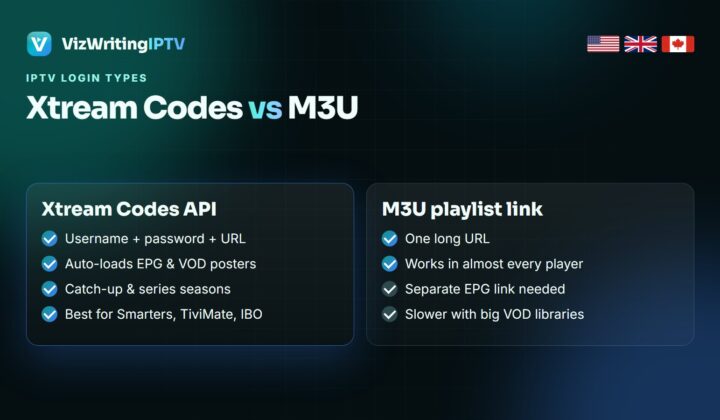
- Xtream Codes vs M3U — Nexomir compares the two login formats and what each one changes in the app.
Frequently asked questions
What is an IPTV encoder used for?
It converts a video signal from a camera, satellite receiver or broadcast feed into a compressed digital stream (usually H.264 or H.265) packaged for delivery over an IP network or the internet.
Is H.265 better than H.264 for IPTV?
For quality per megabit, yes: HEVC needs about half the bitrate of H.264 for the same picture, which makes 4K IPTV practical. Your device must support HEVC hardware decoding to play it smoothly.
Do I need an encoder to watch IPTV at home?
No. Encoders are used by the provider. At home you only need an internet connection, a device and a player app.
What bitrate does 4K IPTV use?
Typically 15 to 25 Mbps with HEVC, which is why 25 Mbps is the minimum and 35 Mbps or more is comfortable for one 4K screen.
Should I use TS or HLS in my IPTV app?
Both carry the same channel. TS is usually closer to live and lighter on older devices; HLS copes better with unstable Wi-Fi. If one stutters, switch to the other in the player settings.
See the difference good encoding makes
Try VizWriting IPTV free for 24 hours: 4K, FHD and HD versions of the main channels, on your own TV.